AI speaker detection
How we unlocked a $100k+ ARR deal by designing human-in-the-loop AI journalists could trust.
Project overview
Trint is an AI-powered transcription platform that helps teams turn audio into accurate, editable text for collaborative content creation. It’s trusted by journalists and media organisations worldwide, including teams at The New York Times, The Washington Post, The Financial Times, and The Associated Press.
This project was triggered by a $100k+ prospective deal with a large US media organisation, which exposed a critical competitor gap. While competing platforms offered automatic speaker recognition, Trint still relied on manual tagging.
As the lead Designer, I led discovery and end-to-end design to close that gap, focusing on accuracy, transparency, and user trust, and ensuring the feature worked not just technically, but cognitively for journalists.
Understanding the problem space
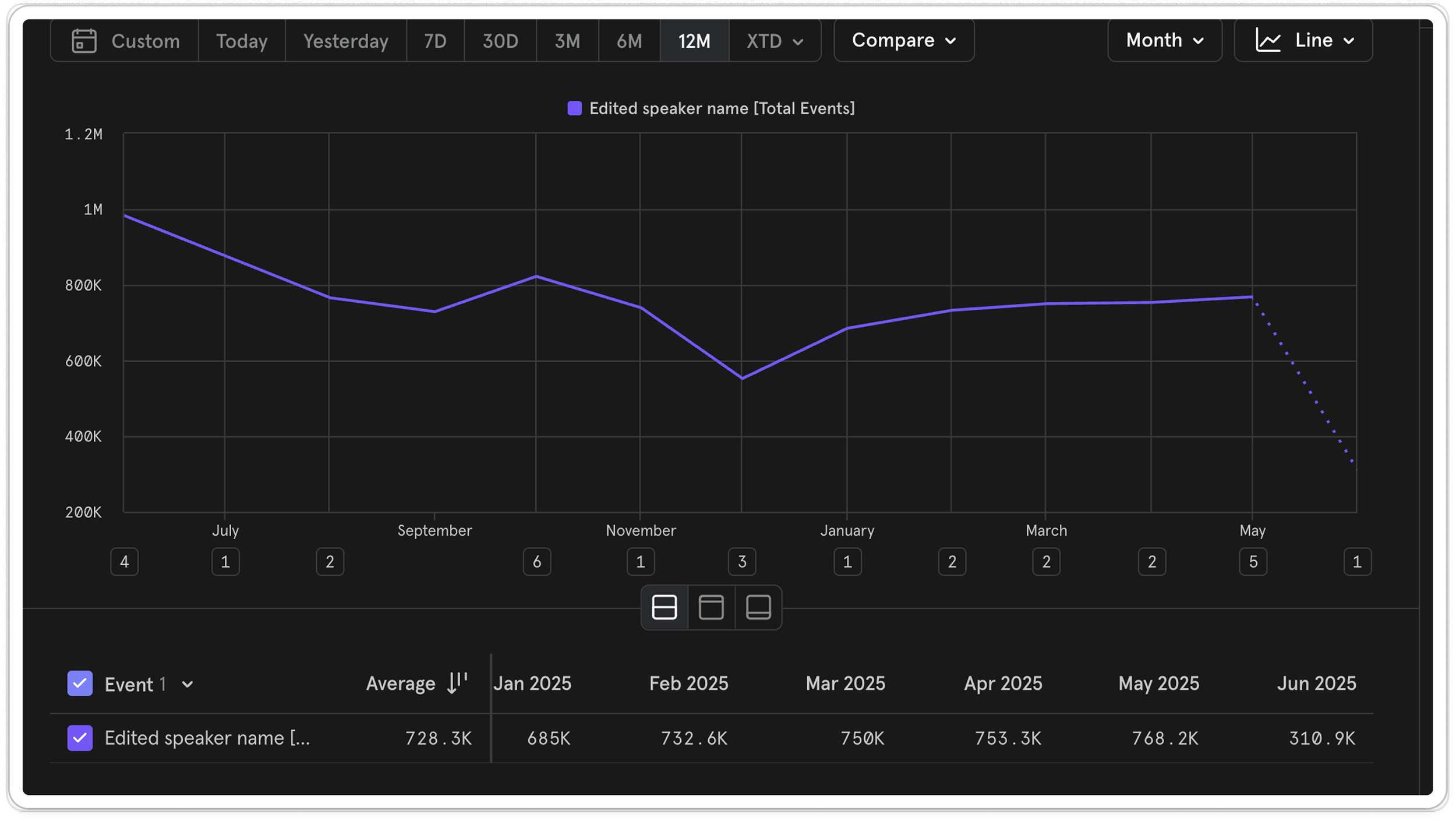
To better understand the problem, I ran a requirement gathering session with the prospective client to better understand their workflow, how their current solution worked and where it was failing.
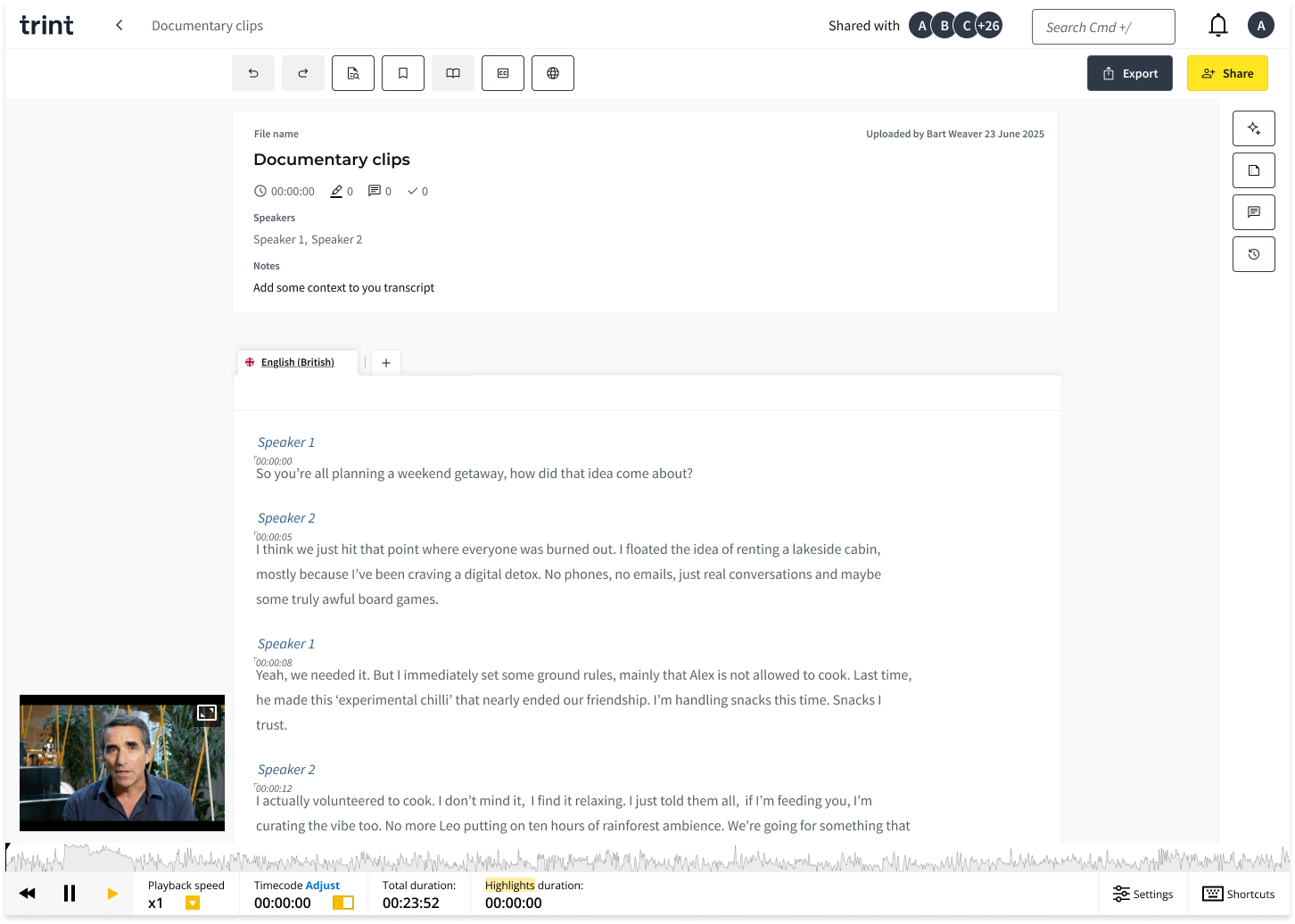
What I uncovered was that any speaker name added was automatically enrolled, so users couldn’t control or curate their saved speaker. Rectifying mistakes appeared clunky and manual, often requiring users to correct each instance individually rather than applying changes across all occurrences. There was also no space to manage the enrolled speakers effectively, there was a need to create groups of different saved speakers.
This shifted the focus from simply detecting speakers to supporting how they are managed as part of the wider workflow.
Validating broader relevance
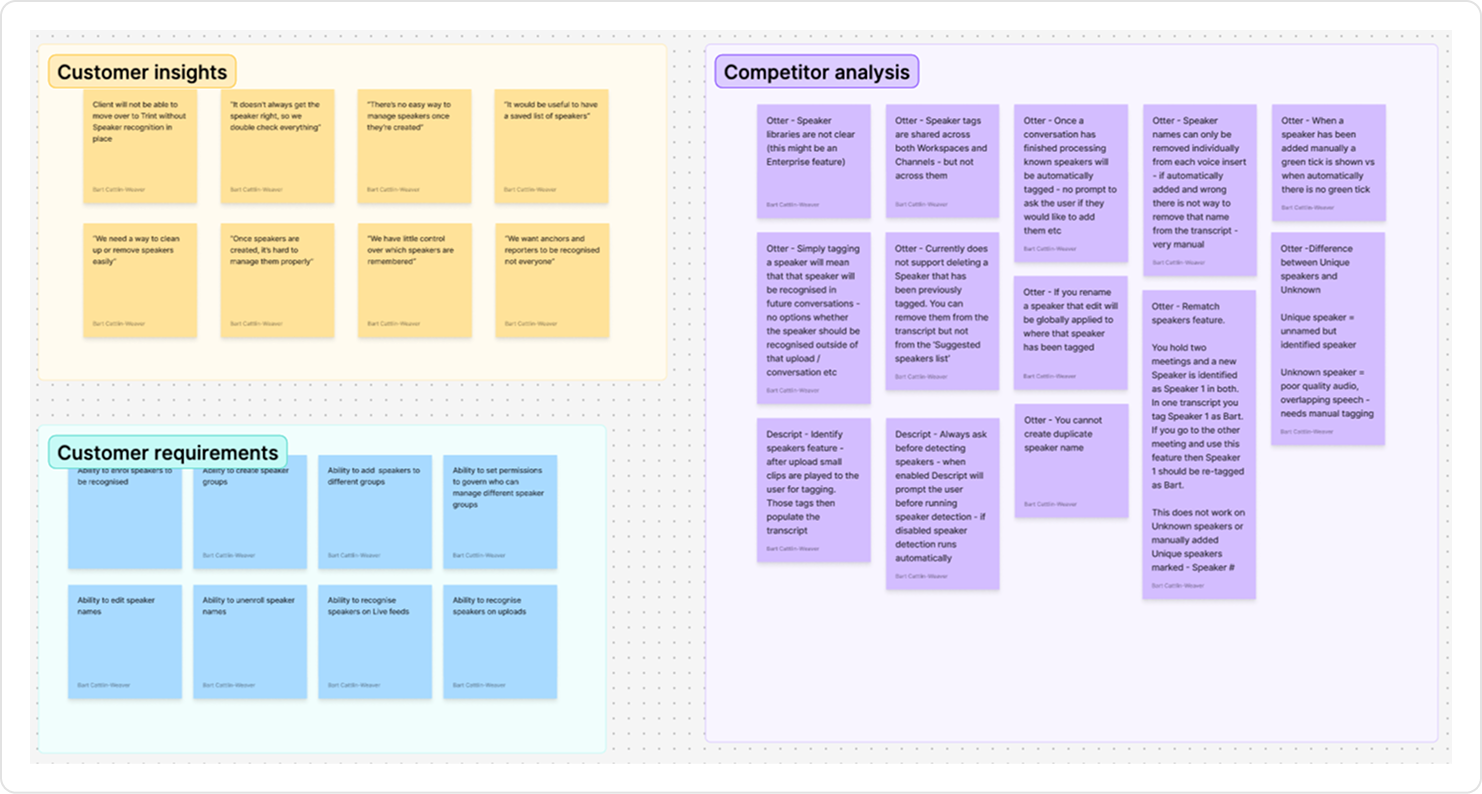
To check whether this was valuable beyond the prospective client, we looked at existing product data. On average, there were around 730k speaker name edit events per month, showing how often teams were already managing speakers manually.
This confirmed that speaker identification wasn’t a niche requirement, but a common workflow across accounts.
Alongside usage data, we spoke with a number of existing Enterprise customers to understand how they currently managed speakers and where friction appeared in real workflows. Given this scale, we anticipated that any meaningful solution would likely involve AI, so we used these conversations to understand how comfortable users would be with AI playing a role in speaker attribution. We shared the problem space and direction we were exploring, rather than proposing a specific solution.
Their response suggested this wasn’t an isolated request, but a shared problem. Importantly, these conversations also surfaced some hesitation around AI handling speaker attribution, where accuracy, visibility, and being able to verify the output were critical.
Balancing automation with control
While the prospective client had previously used a fully automated solution, conversations with our existing customers showed a clear hesitation around handing over control to AI.
This highlighted a core tension: automation could reduce a lot of manual effort, but without visibility and control, users struggled to trust the output in real workflows.
This positioned speaker identification as a high-impact opportunity:
A high-frequency behaviour already happening manually (~730k edits per month).
Clear enterprise demand and revenue potential.
A competitive gap we needed to close.
This gave us confidence that solving this problem would deliver meaningful value across the product.
Defining the problem space
I worked closely with the PM and Lead Engineer to to define the problem space and align on a focused scope. We later shared this with the wider team to align on the direction.
Together, we identified five core problem spaces:
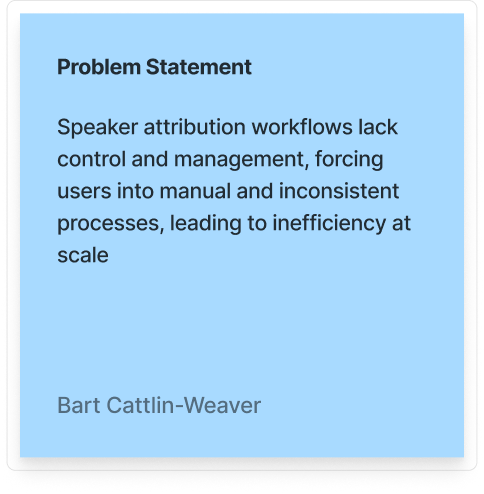
Enrolment - deciding which speakers should be recognised
Management - maintaining accurate speaker data
Categorisation - organising speakers for reuse
Permissions - controlling who can update speaker data
Identification - recognising speakers automatically
We then prioritised enrolment and identification as they had the greatest impact on manual effort and user trust, and included management to support effective editing and maintenance.
Together, these formed the minimum scope required to validate value
The hypothesis
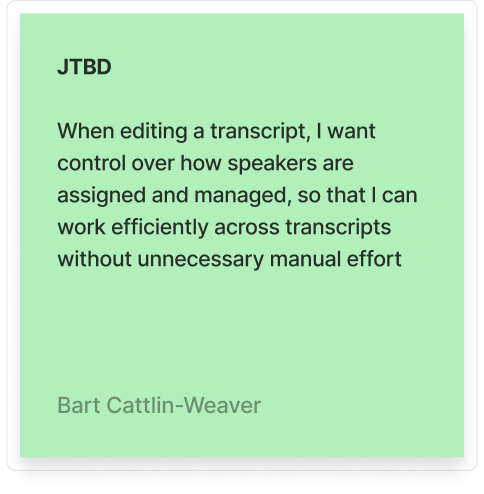
If we could use AI to automatically identify speakers, while giving users clear control, visibility into when AI was used, and the ability to review and verify the output, we could reduce manual effort without compromising trust.

Metrics
To understand whether this was successful, we defined a set of signals across efficiency, usage, and trust.
Our primary metric was the percentage of AI-generated speaker labels that remained unchanged (accuracy & trust).
This told us whether the model was accurate enough for users to accept its output.
Supporting metrics:
A reduction in manual speaker edits for users using the feature (efficiency)
Adoption of AI-driven speaker identification (usage)
Guardrails:
Percentage of generated speaker labels that are corrected by users
Qualitative feedback on accuracy, effiency and trust
Exploring and prioritising solutions
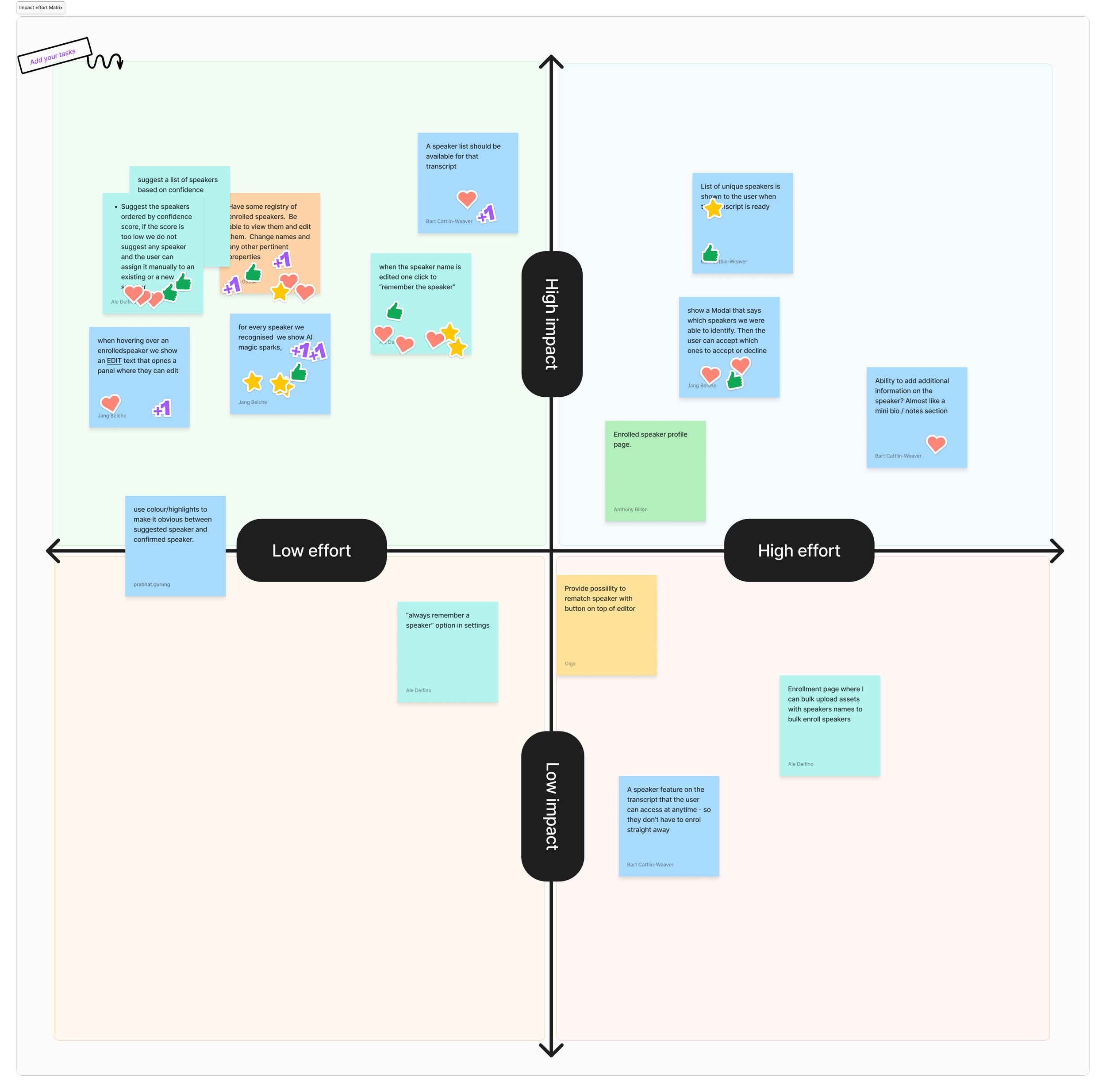
Using How Might We prompts, we explored multiple solutions, then prioritised them using dot voting and an impact vs. effort matrix.
From this process, we identified three core solution directions:
1. Enrolment - Allow users to enrol speakers directly within the transcript, keeping the action lightweight and in context.
2. Management - A dedicated space to view and manage all enrolled speakers in an organisation.
3. Identification - Introduce AI-driven speaker detection, automatically applying labels when confidence was high, and surfacing lower-confidence results for user review and verification.
Early collaboration to understand edge cases & model constraints
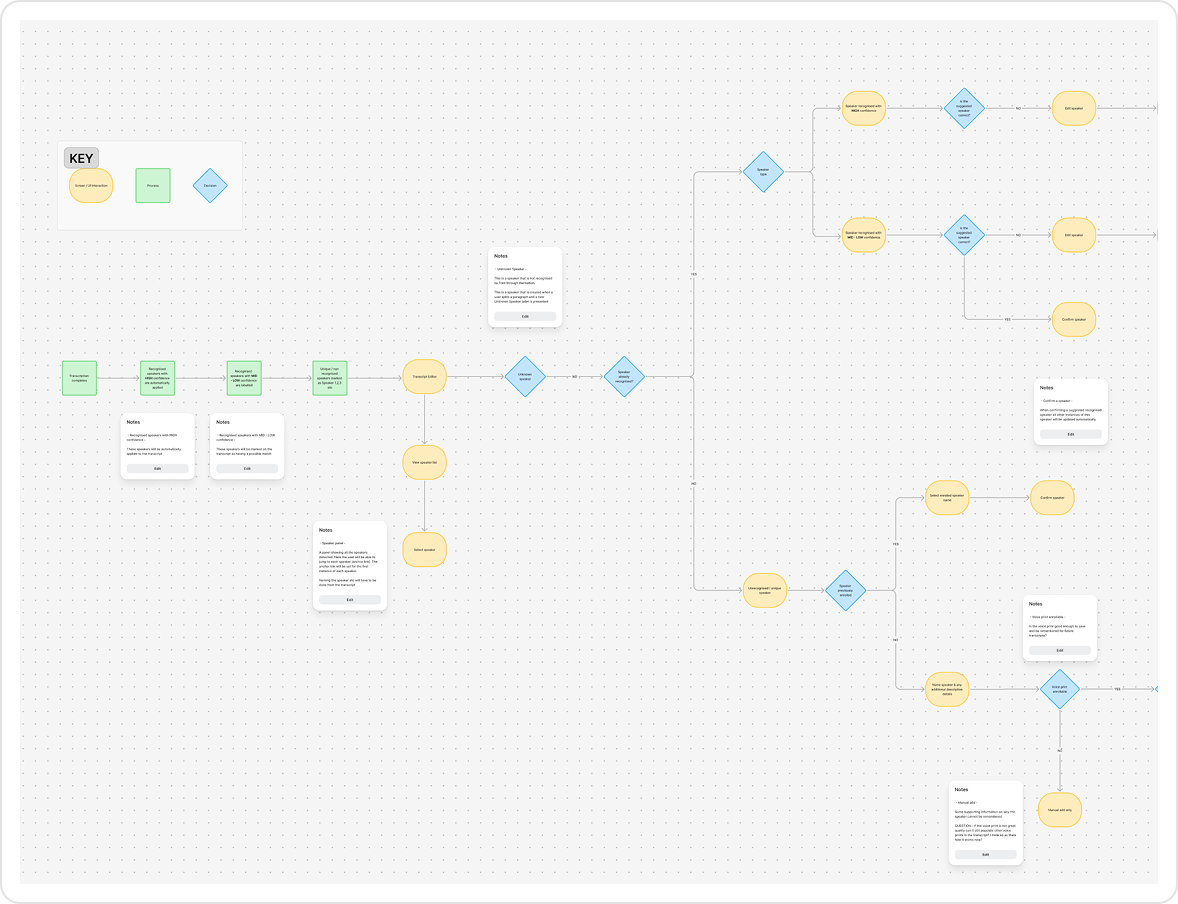
Before any screens were created, I partnered with Engineers and the PM to understand how the model worked, taking an AI-first approach to the design process. Early collaboration was key, shaping the entire design approach. Instead of pitching ideas and checking feasibility later, I spent time understanding the model’s constraints, edge cases, and potential.
Some outcomes of this collaboration include:
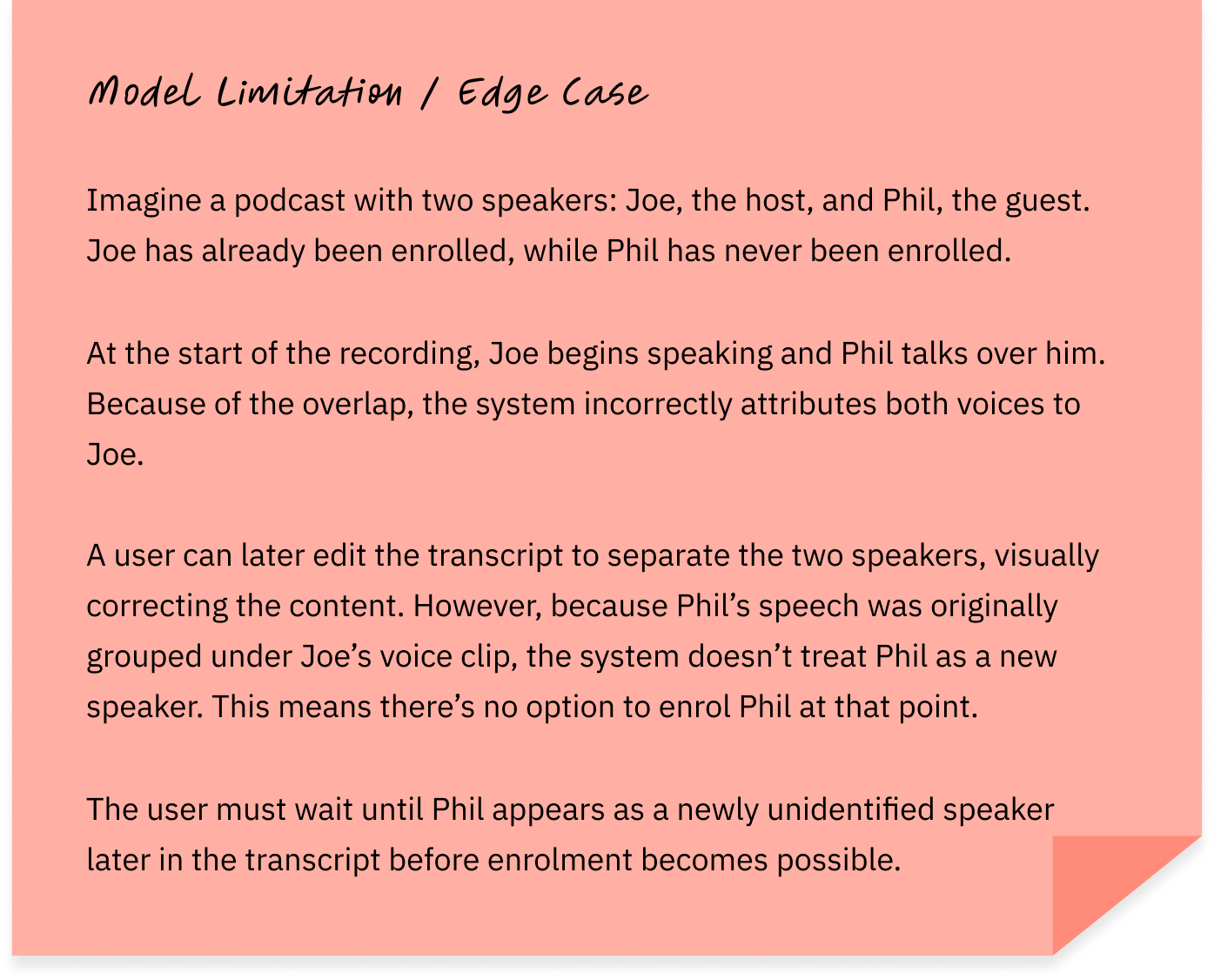
🛠 Identifying model unavailability
We discovered a model limitation that proved overly complex to explain clearly to users.
Given the cognitive complexity of explaining this edge case, we chose not to introduce additional feedback and instead monitored how often it occurred.
🚫 Anticipating model failure states
We explored scenarios where the model may not be available, for example, when audio was too short or unclear. These cases helped us understand where feedback or guidance would eventually be required.

Shaping the workflow through continuous feedback
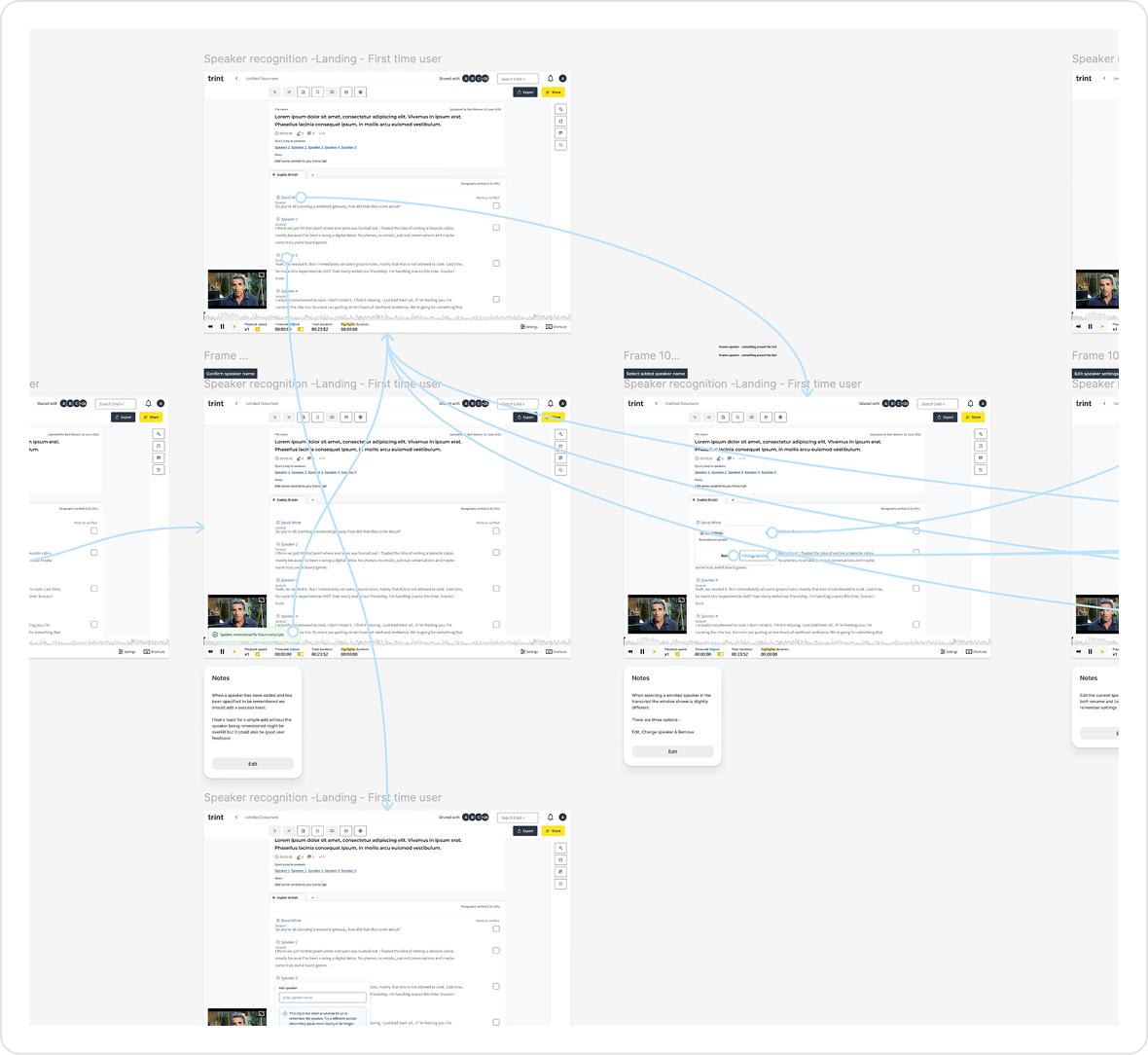
The team developed an initial POC to validate speaker detection.
I led the transition into designing a full end-to-end experience, creating prototypes to align on an MVP direction.
Designs and early builds were continuously tested and refined with users, allowing us to iterate quickly and shape the workflow alongside engineering.
I tested early concepts with users to understand how well the experience aligned with real workflows.
This surfaced several usability issues around how speaker actions behaved and were understood, which informed the next iteration of the experience.
Refining the enrolment experience through testing
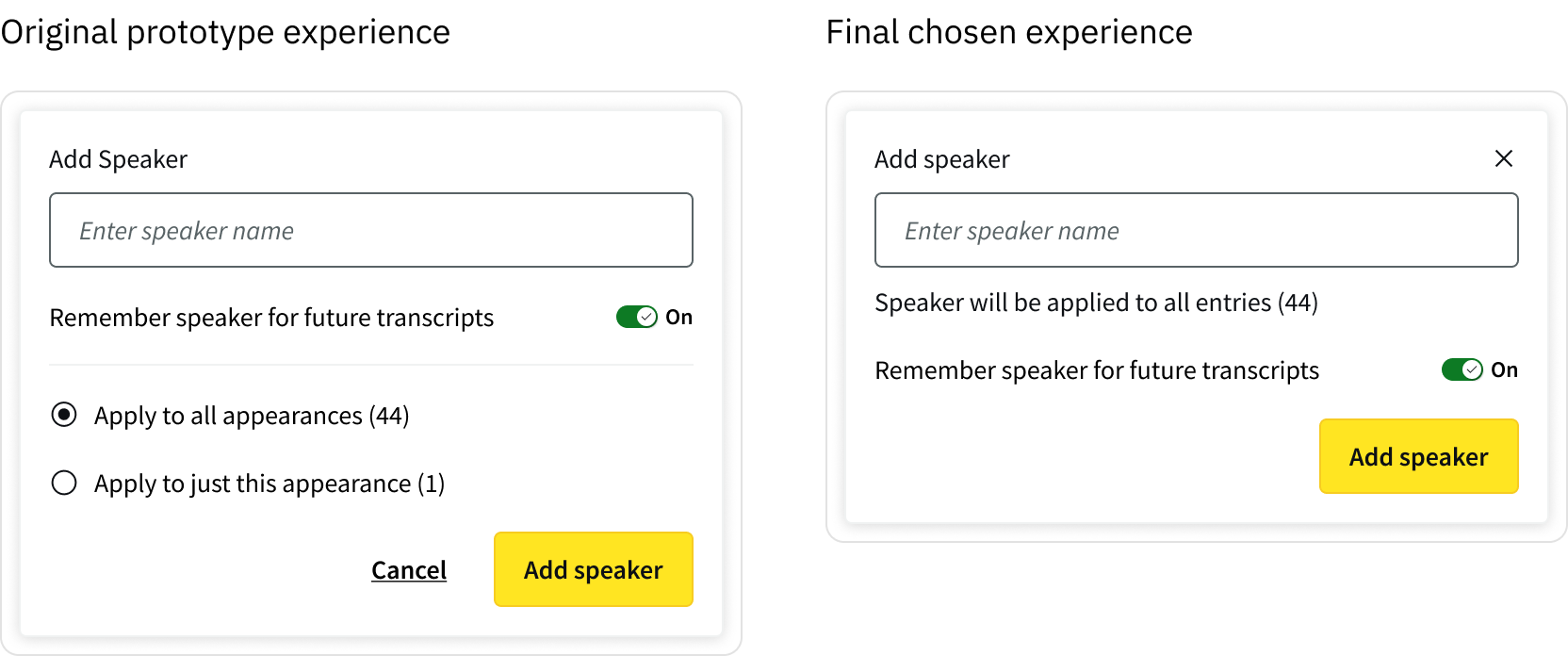
👩💻 Aligning speaker application with user intent
Early explorations introduced more granular control over how speaker changes were applied. However, these controls were better suited to editing speaker data than applying a speaker during transcript review.
Through testing, it became clear that users treated applying a speaker to a single appearance as a quick corrective action, not a decision about how to apply a speaker in the first place.
Presenting both “apply to one” and “apply to all” upfront introduced unnecessary cognitive load and disrupted what users expected to be a simple, immediate action.
I simplified the interaction by removing these decisions at the point of application, aligning the controls with the user’s intent.
⚡️ Observed friction
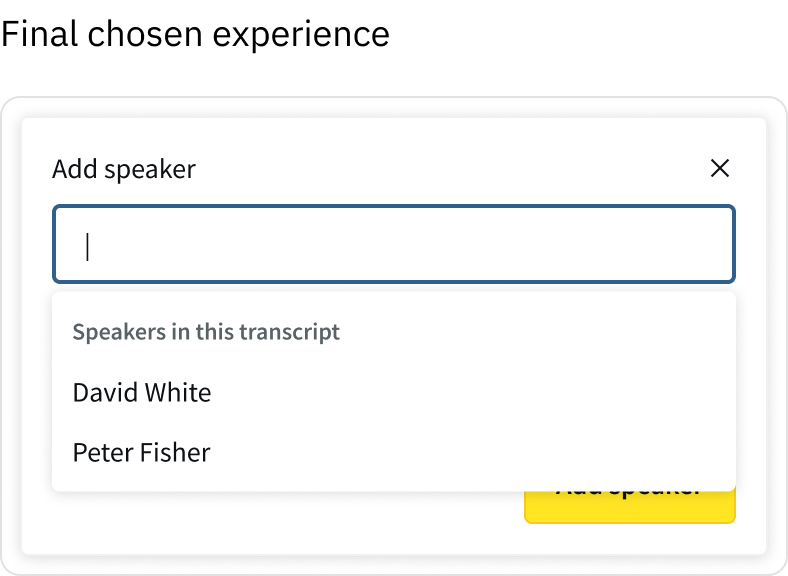
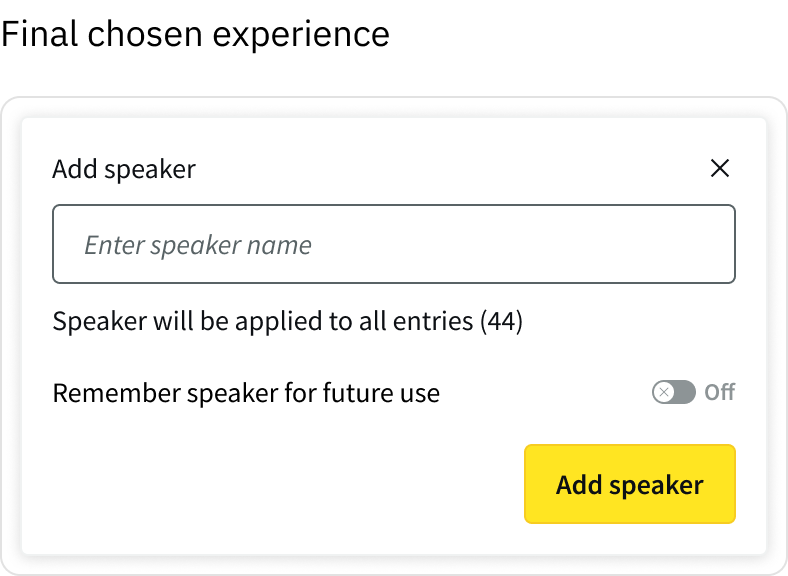
Users had to manually select the input field before typing, adding an extra step to a repetitive task.
To reduce interaction cost, I auto-focused the input when a speaker label was selected, allowing users to begin typing immediately and making edits feel faster and more fluid.
🤝 Making enrolment intentional
As part of introducing more control, early designs defaulted “remember speaker” to ‘ON’.
However, testing and client feedback showed this didn’t reflect real workflows. Users saw enrolment as a deliberate action, not something that should happen automatically.
Defaulting this on risked polluting speaker data with unwanted entries and creating additional clean-up work.
I changed this to an explicit, opt-in action, ensuring speakers were only enrolled when users intended to save them for future use.
This was also important from a metrics perspective, a default-on approach might have increased enrolment rates in a misleading way, introducing noise and reducing data quality. So we chose an explicit opt-in model, aligning usage with real user intent.
This meant adoption became a signal of intentional, rather than something we were trying to maximise
🧠 Designing clear, predictable speaker actions
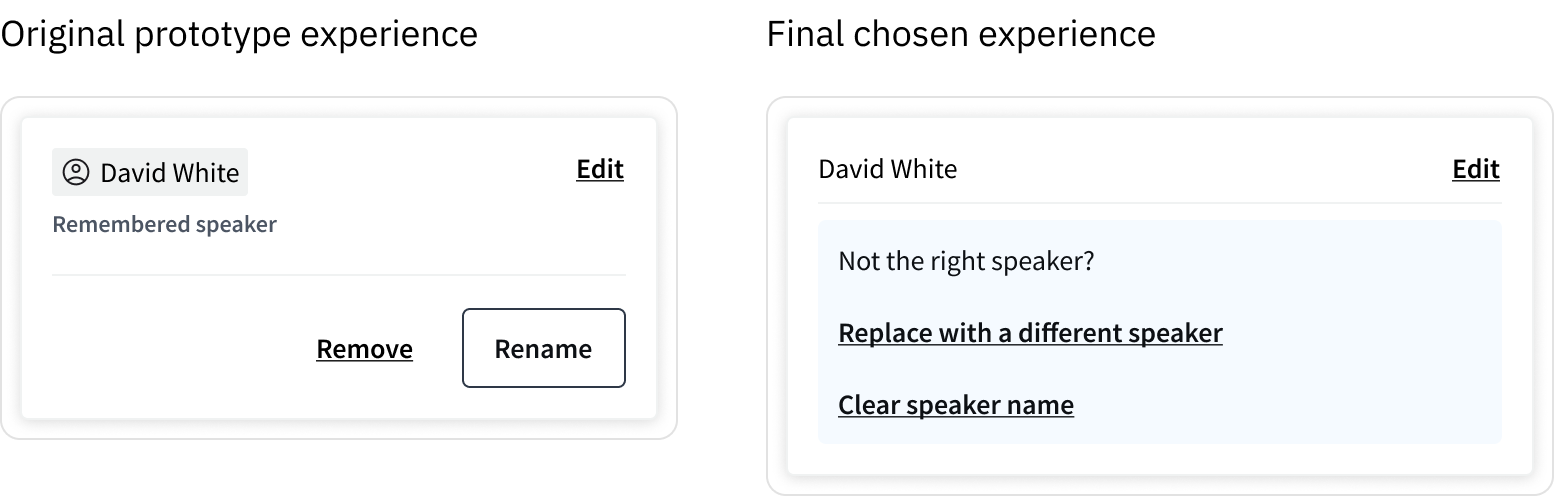
Users were unsure what would happen when editing a speaker directly from the transcript.
In the original design, actions like “Remove” and “Rename” were ambiguous, with no clear indication of how they would affect the current transcript or enrolled speaker data. This created hesitation, as users were concerned about accidentally removing or overwriting speaker data.
I restructured the interaction and language to make both the intent and outcome of each action explicit.
This reduced ambiguity and gave users confidence to act, particularly when working with enrolled speaker data.
⏮ Reversibility
Speaker changes could affect multiple entries within a transcript.
This made it important that bulk actions were easy to reverse, particularly when working at speed.
I introduced a success state with an option to undo, allowing users to quickly revert changes without needing to manually correct individual entries.
This improved usability by making bulk actions safer, more predictable, and easier to recover from.

Speaker management & privacy controls
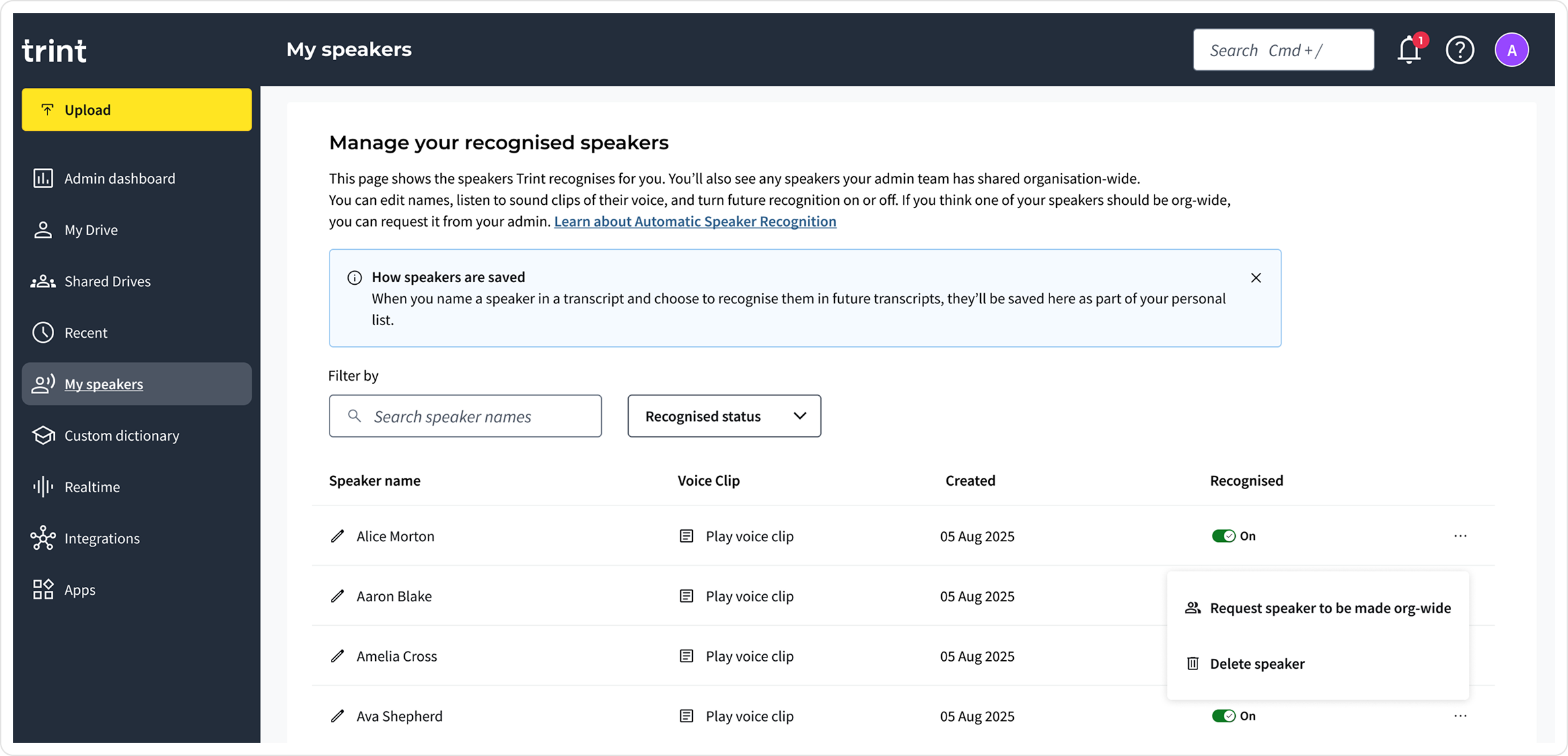
Through client conversations, journalists highlighted that some speakers needed to remain private, while others (e.g. News Anchors or regular contributors) benefited from being recognised organisation-wide.
🔐 Private and speaker management
We initially explored a global speaker catalogue to enable reuse across teams.
However, testing revealed privacy concerns, particularly for sensitive or personal recordings.
As a result, we moved to a user-specific speaker management model, where individuals could manage their own speakers privately.
I proposed a later iteration where admins could make specific speakers (e.g. anchors or reporters) organisation-wide.
Designing AI predictions users can trust
For users to trust automated speaker identification, they needed to clearly understand when AI was acting, when a human had intervened, and retain control of predictions and saved speakers. AI accuracy varies, so the experience needed to make uncertainty visible and keep humans in charge of final decisions.
🔐 Making AI behaviour visible
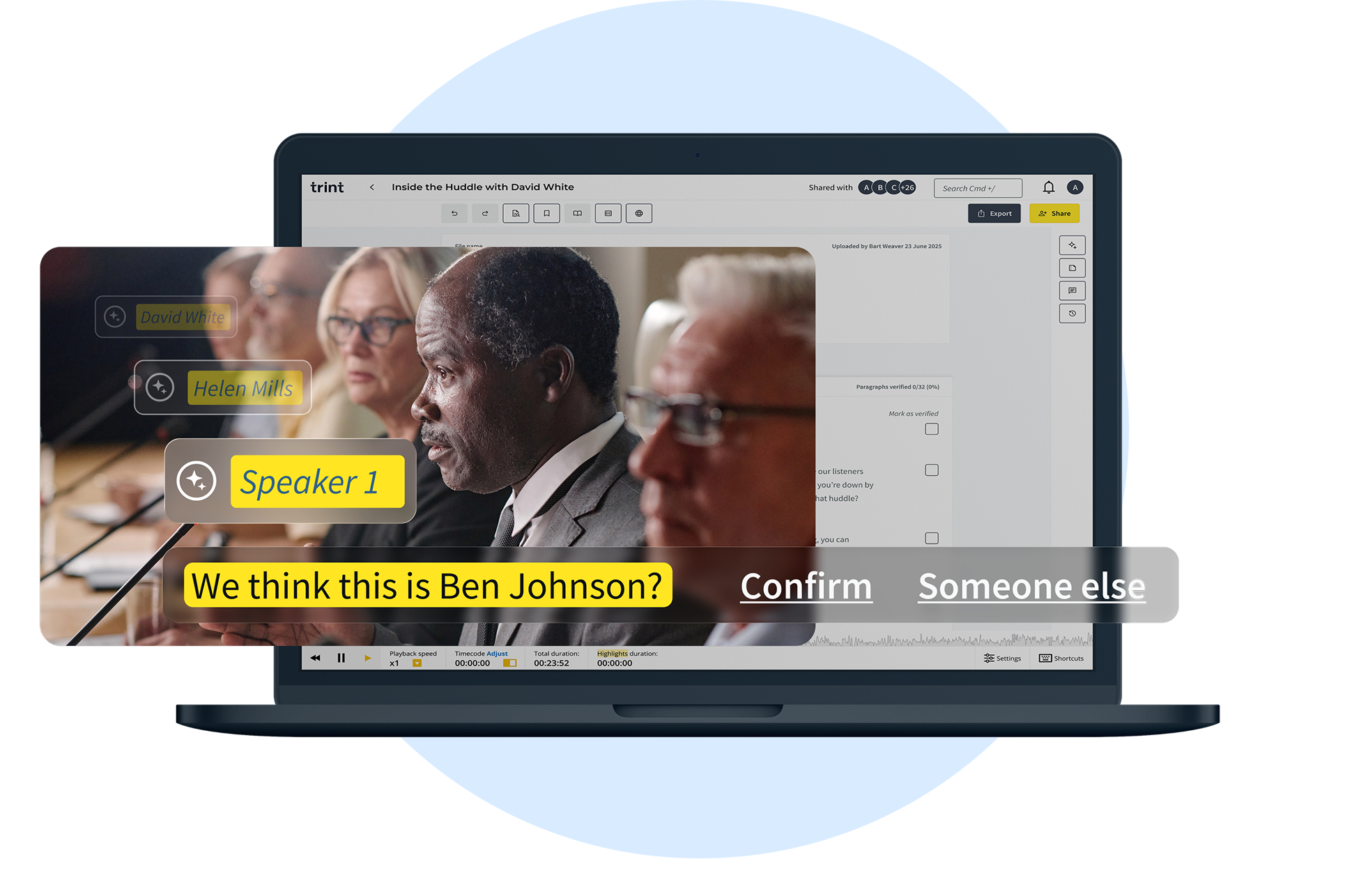
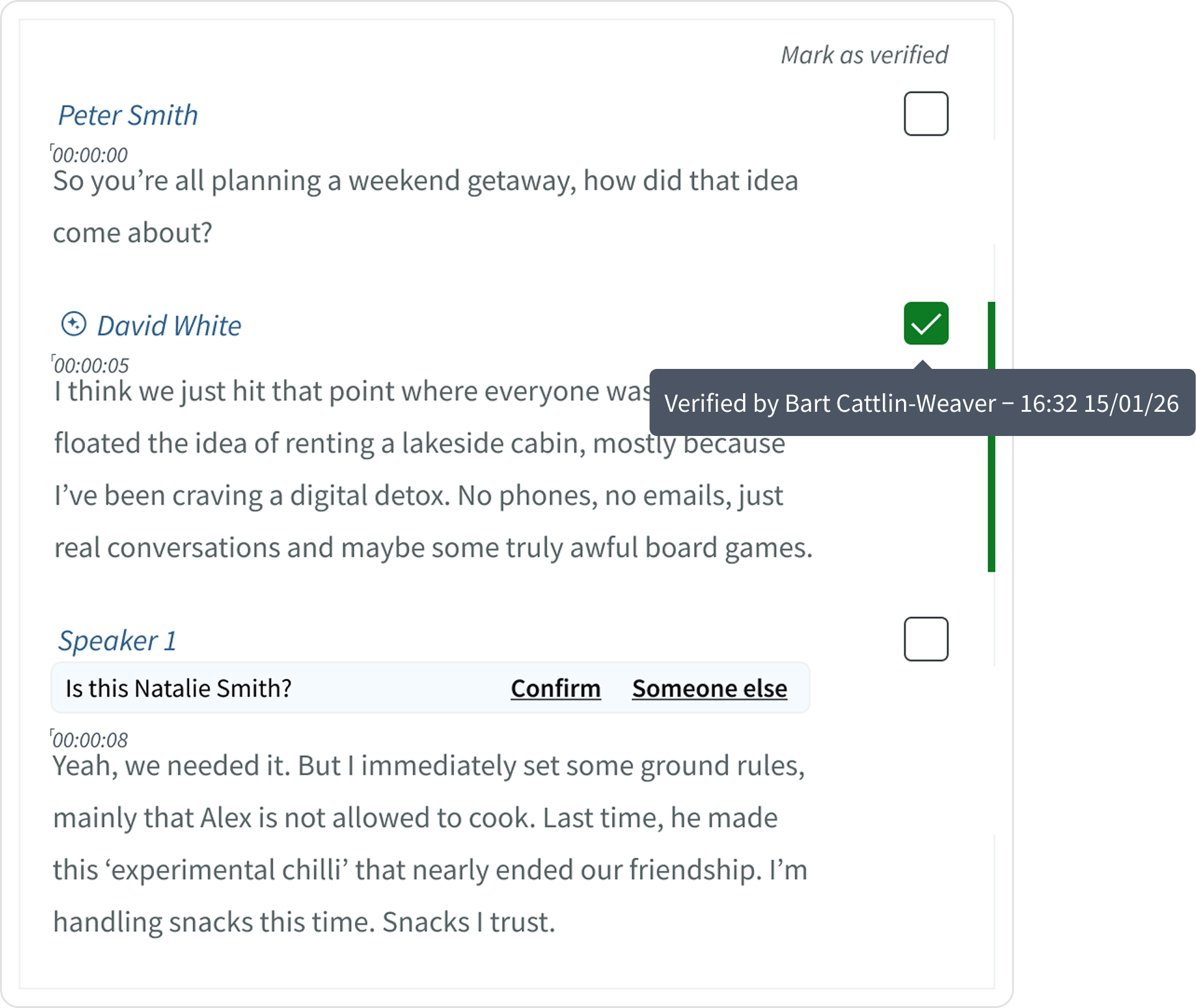
Users needed to understand when a speaker label came from the model. I introduced clear visual markers (AI sparkles) to distinguish AI-generated labels from human-added ones, making the system’s behaviour visible.
✅ Introducing lightweight verification
Users needed a way to confirm what had been reviewed by a human.
I added a subtle verification checkbox users could click to verify the both the speaker label and transcribed text. On hover, it showed who reviewed it and when. This added trust and accountability without adding friction. Users could see, at a glance, what was human-checked versus AI-suggested.
🔐 Balancing automation with user control
High-confidence predictions (90%+) were applied automatically, marked with a small AI sparkle so users knew the source.
Anything below that threshold appeared as a suggestion the user could apply, edit, or reject. This kept the workflow fast while ensuring users always stayed in control.
Together, these patterns ensured AI acted as an assistive layer, fast when confident, cautious when uncertain, and always open to final human review.

Outcomes & impact
This work successfully secured the $100k+ Enterprise deal, and helped generate new opportunities from other major US broadcasters, during enterprise sales conversations. Following this, the feature was rolled out gradually, starting with larger Enterprise accounts.
During this period, we collected qualitative feedback, helping us understand how the feature was performing.
Business outcome
$100k+
Enterprise deal secured with a major US media organisation
Feedback survey results
As rollout began, early feedback suggested the feature aligned well with how users worked. We saw strong signals across satisfaction, perceived accuracy, and time saved within existing workflows.
Longer term, success was defined around reducing manual effort and driving adoption of AI-driven speaker identification.
65%
Users expressed being satisfied or above with the new speaker recognition feature
82%
Users rated the accuracy ‘Mostly accurate’ and ‘Very accurate - rarely incorrect’
78%
Users reported that the feature saved time within their existing workflows
Alongside these positives, feedback also highlighted important limitations. Speaker attribution still varied across accents, dialects, and languages. This feedback helped reframe our next challenge:
How might we design systems that allow users to actively help improve the model over time?